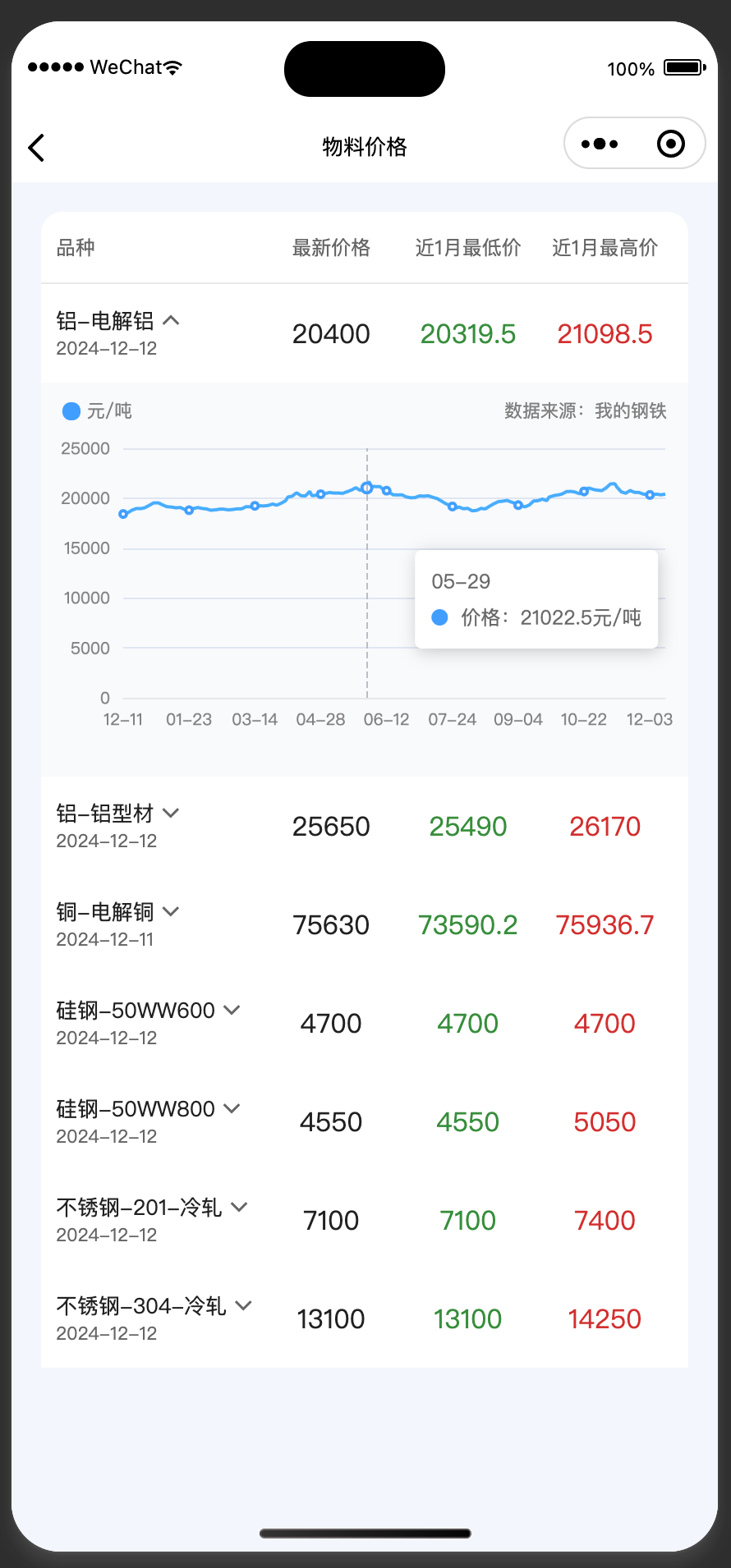
下载ec-canvasgithub地址
核心代码如下
//index.js,通常数据都是通过异步获取,只需要在合适的时机调用initChart方法即可。
import * as echarts from "../comps/ec-canvas/echarts";
let chart = null;
Page({
  data: {
    ec: {
      lazyload: true
    },
  },
  async initChart() {
    await this.selectComponent("#mychart-dom-bar").init((canvas, width, height, dpr) => {
      chart = echarts.init(canvas, null, {
        width: width,
        height: height,
        devicePixelRatio: dpr
      });
      this.updateChart()
      canvas.setChart(chart);
      return chart;
    })
  },
  updateChart() {
    let _this = this;
    let option = {
      color: ["rgba(65, 158, 255, 1)"],
      grid: {
        containLabel: true,
        left: 12,
        right: 14,
        top: 40,
        bottom: 30
      },
      tooltip: {
        show: true,
        trigger: "axis",
        trigger: "axis",
        formatter: function (params) {
          var relVal = params[0].name;
          for (var i = 0, l = params.length; i < l; i++) {
            relVal += "
" + params[i].marker + params[i].seriesName + ":" + params[i].value + "unit"
          }
          return relVal;
        }
      },
      xAxis: {
        type: "category",
        boundaryGap: false,
        data: this.data.materialHistoryData.xAxis,
        axisTick: {
          show: false
        },
        axisLine: {
          lineStyle: {
            color: "rgba(232, 232, 232, 1)"
          }
        },
        axisLabel: {
          textStyle: {
            color: "rgba(128, 128, 128, 1)",
            fontSize: 10
          }
        }
      },
      yAxis: {
        type: "value",
        axisLabel: {
          textStyle: {
            color: "rgba(128, 128, 128, 1)",
            fontSize: 10
          },
          formatter: function (value) {
            return value; // 禁止数字格式化,直接显示原始数值
          }
        },
      },
      series: [{
        name: "价格",
        type: "line",
        data: this.data.materialHistoryData.yAxis,
        lineStyle: {
          width: 2
        }
      }]
    };
    chart.setOption(option);
  },
})

//index.html
<ec-canvas wx:if="{{item.active}}" id="mychart-dom-bar" canvas-id="mychart-bar" ec="{{ ec }}">
</ec-canvas>

//index.css
ec-canvas {
  width: 100%;
  height: 100%;
}